Up to five personal profiles
Keep favorites, history and watchlists personal, even on a shared TV.
In the Amazon Appstore for compatible Fire TV devices
A channel for now, a series for later and a space for everyone at home: TELOS makes your catalog personal on Amazon Fire TV. Connect your own account, save favorites and discover suggestions from your source in “For you”. Up to five profiles keep your selections separate.
Officially in the Amazon Appstore. Your own provider account is required; no channels or content subscriptions are included.
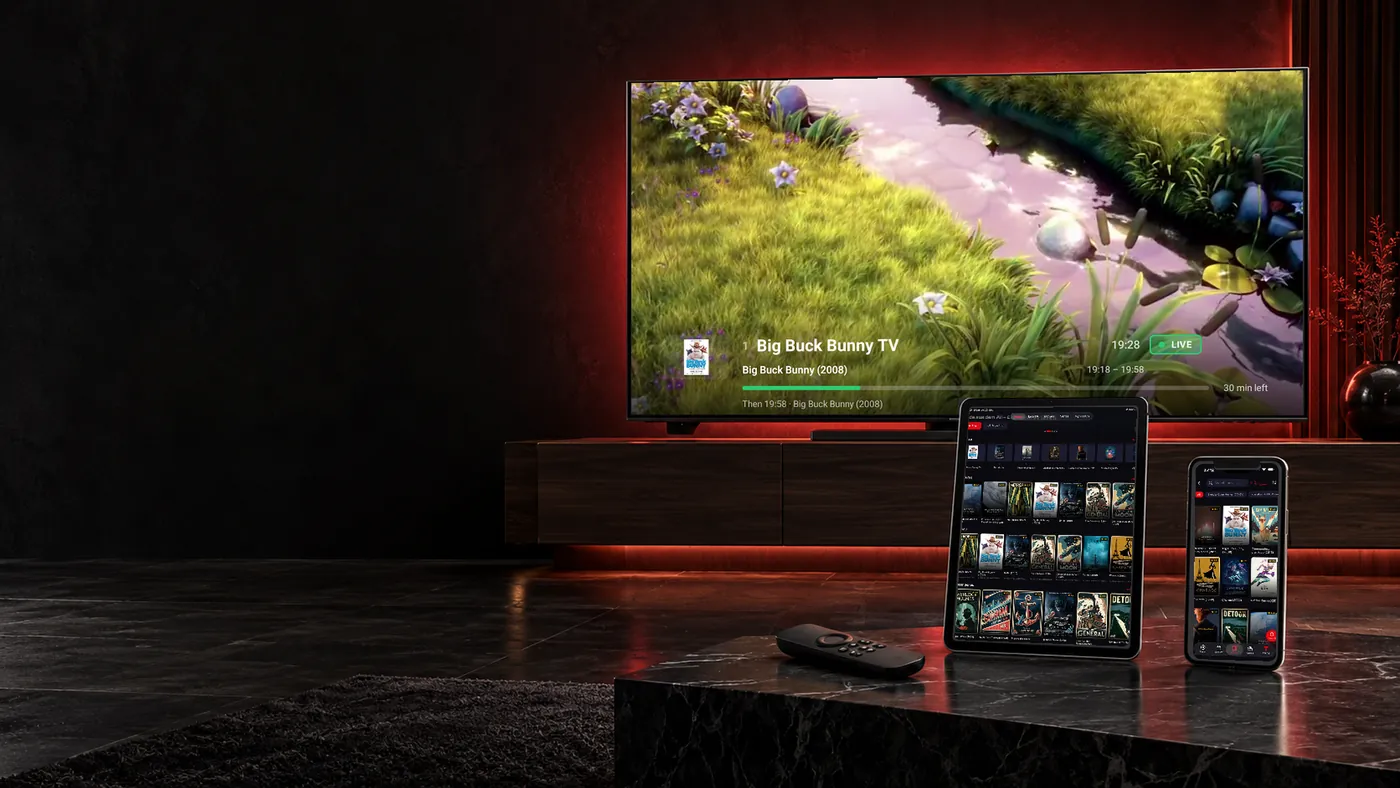
From your first live channel to the next episode: these features make TELOS your personal player on Fire TV.
Keep favorites, history and watchlists personal, even on a shared TV.
“For you” learns locally from your viewing. You can pause learning or reset it.
Save eligible movies and episodes, depending on your provider. Wi-Fi is the default.
Favorites, your watchlist and Continue Watching bring you back to your own selection.
Want to tune into a channel, choose a movie later and continue a series the next day? In TELOS, these areas work with your own provider account. Start with an Xtream connection or the link to your M3U playlist. Your source determines which content you see.
Build your own selection instead of browsing the whole catalog every time: favorite your regular channels, add interesting movies to your watchlist and find started titles in Continue Watching. The player gives you a personal way into your catalog. Our guides to Xtream and M3U playlists explain the connection methods.
These three areas serve different purposes. You do not have to remember a movie title or search every channel list again:
For example, add a movie on Sunday while someone in another profile continues their series. When you open your profile later, your selection stays yours. These personal areas complement search and local recommendations; they do not change what your source offers.
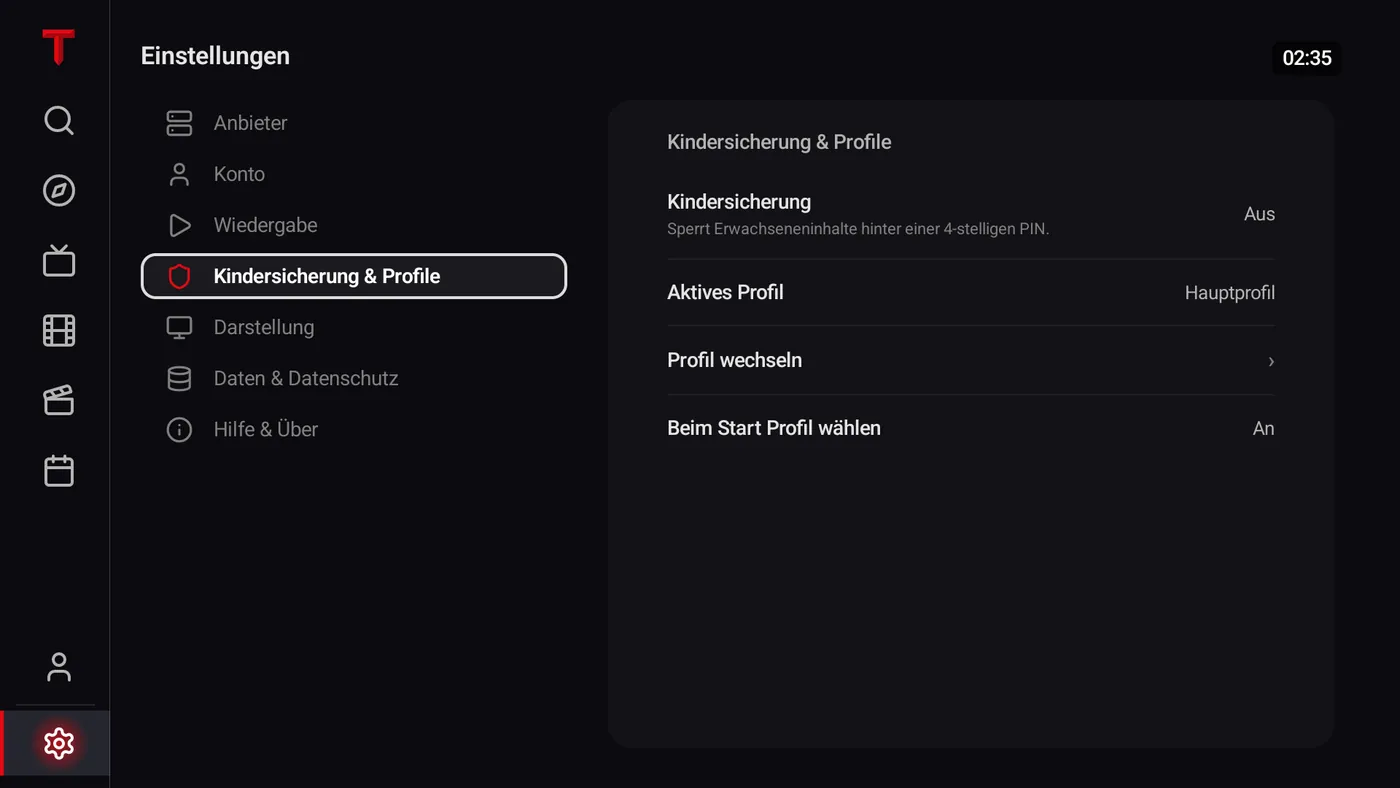
Watch different series from your partner, or want a separate selection for the children? On Fire TV, TELOS supports up to five profiles. Favorites, history, Continue Watching, watchlist, search history, downloads and recommendations are separate for each profile. Your evening starts with your choices rather than whoever last used the TV.
For children, you specify approved content. The household PIN protects relevant profiles and settings; an age filter requires age data from your provider. The questions on this page explain how profiles separate personal selections.
A large catalog becomes useful when you can find something that suits you. The “For you” row sits below Continue Watching and adds personal recommendations from your source. It uses your viewing on this device and works locally, separately for each profile.
You decide whether TELOS can keep learning: pause learning, view or remove interests, or reset the selection. The row is not visible on first launch because there is no viewing history yet. Kids profiles do not learn personal tastes. Viewing for these recommendations is analyzed on your device rather than in a cloud. See the local recommendation answers.
Download a title for later from its detail page if your source supports it. Find saved movies and episodes under “My TELOS” > “Downloads”. By default, TELOS downloads only over Wi-Fi. Downloads also stay assigned to their profile.
This complements the watchlist: a watchlist collects ideas for later, while a download actually saves an eligible file on the device. Available storage and your source remain decisive; downloads are not promised for every title. The download answers on this page explain what saving a title means. Apple devices have their own download conditions.
The TV guide shows program information for your channels when your provider supplies suitable EPG data. Plan your viewing around programs and keep regular channels within reach using favorites. TELOS supplies neither channel packages nor program data itself.
Catch-up also depends on your source: if the provider offers previous broadcasts, you can use them within the supported scope. If a program is missing or the guide stays empty, check your credentials and source first. The EPG troubleshooting guide helps narrow it down.
Compatible Fire TV models running Fire OS 6, 7 or 8 are supported. Vega OS, Fire OS 5 and Fire tablets are not supported. The product name alone is therefore insufficient: check your device model, operating system and availability in the Amazon Appstore.
See the Fire TV setup information when checking your device. There is no official TELOS APK download for Fire TV. If the app does not appear in search, check the store availability for that specific model and operating system before looking for another installation file.
Using a stick? The dedicated Firestick page covers checking your model and getting started. For other questions, see the Fire TV FAQ.

Start with a small test after setup: open a live channel and a movie or episode. Then check program information and add a favorite. This shows which content and extra data your provider actually supplies before you set up the whole household.
If one channel works and another does not, compare those two items first. If playback stutters generally, consult the connection and buffering guide. For an empty program guide, start with the EPG check. Keep your provider’s connection limit in mind too: five personal profiles do not mean five permitted simultaneous streams.
Search for “TELOS IPTV Player” on your compatible Fire TV Stick and download the app from the Amazon Appstore. Open it and connect your own Xtream account or M3U link.
TELOS supports compatible Fire TV models running Fire OS 6, 7 or 8. Devices running Vega OS or Fire OS 5, and Fire tablets, are excluded. Check the operating system as well as the device name.
Yes. For Xtream, enter the server, username and password. For an M3U playlist, use its link. Your account determines which content and provider-dependent features are available.
No. TELOS is a player and includes no channels, movies or content subscriptions. Bring your own provider account that you are legally entitled to use.
No. There is no official APK download for Fire TV. Install TELOS from the Amazon Appstore by searching for “TELOS IPTV Player” on your Fire TV.
On Fire TV, profiles separate not only favorites but also history, Continue Watching, watchlists, search history, downloads and personal recommendations. You can have up to five profiles.
The recommendation logic described here works locally on your device, separately for each profile. You can pause learning, remove interests or reset it. Kids profiles do not learn tastes.
No, profiles do not grant additional provider permissions. They separate personal areas in TELOS. Your own content account determines how many streams may run simultaneously.
A watchlist saves a title for later. A download saves an eligible movie or episode on the device if the source allows it and storage is available. Adding a title to your watchlist does not download it.
Open the official Amazon Appstore listing, check your device and connect your own account. Your content, your profiles, your next evening of TV.
TELOS is a player for your own legal content source. No channels, movies or content subscriptions are included.