Your profile stays personal
Favorites, watchlist, history and downloads for each profile. Up to five profiles per Xtream account.
In the App Store · iPhone with iOS 16.4 or later
Take your selection with you: live TV, movies and series from your account, personal profiles and eligible titles to watch offline. The TELOS IPTV Player for iPhone connects your playlist to favorites, a watchlist and recommendations created on your device.
Requires iOS 16.4 or later. Playback requires payment after the trial; your own account is required.
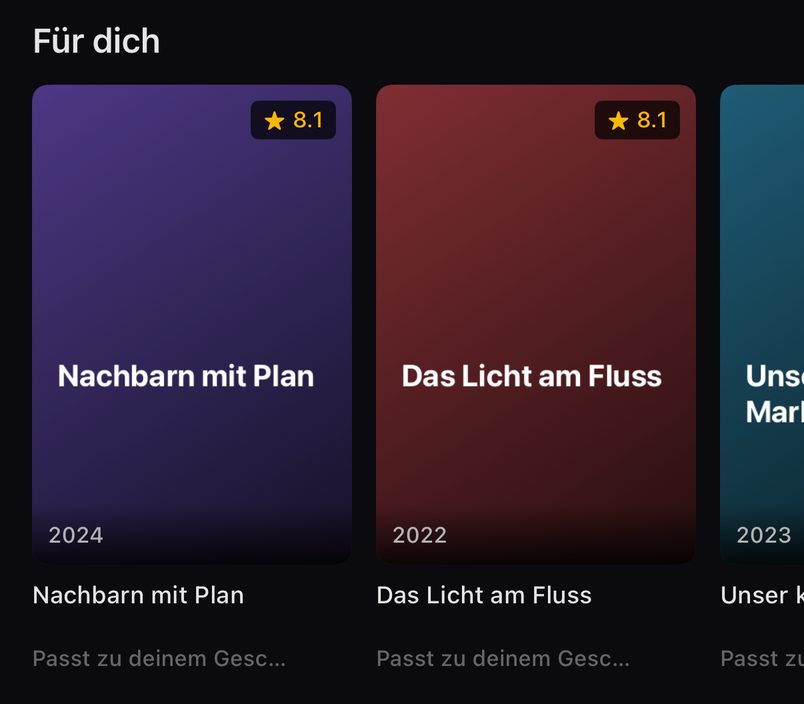
Fit your content into your day: discover at home, download before traveling and continue in your personal profile.
Favorites, watchlist, history and downloads for each profile. Up to five profiles per Xtream account.
Watch eligible movies and episodes offline with an Xtream source and the required download conditions.
“For you” learns locally on your device. You decide whether the app can keep learning.
Kids profiles show approved content; the household PIN protects leaving the profile.
A favorite channel, a movie for the evening or the next episode: TELOS opens content from your own Xtream account or M3U link on iPhone. Search takes you directly to titles; favorites keep regular content within reach. Your watchlist collects what you want to see later.
Continue Watching brings you back to movies and episodes you have started. A quick browse can lead somewhere: save interesting titles, return later and continue in your own profile. The Xtream guide and M3U guide help you choose your connection method.
Sharing an account does not mean everyone needs to see the same history. TELOS supports up to five profiles per Xtream account, with their own favorites, history, Continue Watching, watchlist and downloads. Audio and subtitle choices also stay personal.
Approve content for children and protect leaving their profile with the household PIN. Kids profiles do not learn personal tastes. See the profile answers on this page. The number of profiles does not replace your provider’s simultaneous connection limit.
The more you watch in your own catalog, the more information the local recommendation logic has. The “For you” row uses your viewing to suggest content from your source. Recommendation data does not leave your device.
Under “Settings > Taste”, pause learning, view interests or reset them. You stay in charge of whether TELOS can keep learning and how your personal selection develops. The recommendation answers on this page explain the local processing and controls.
TELOS is the player; bring your own legal content account. For Xtream, enter server, username and password. For M3U, use the full playlist link. Your provider determines which channels, movies and series are available.
A TELOS profile differs from another simultaneous provider connection. Check the connection limit if the same account is already running on your TV. The comparison below shows which features these two connection methods offer in the Apple app. Find further answers in the iPhone FAQ.
Both methods open content from your own source, but offer different features in the Apple app described here. If your provider offers both, this comparison helps:
On small screens, you can scroll this table sideways.
| Feature | Xtream account | M3U link |
|---|---|---|
| Connect your account | Server address, username and password | Full playlist link |
| Play content | Selection from your source | Selection from your list |
| Programme guide | If your provider supplies compatible programme data | Using a suitable XMLTV source from your provider |
| Catch-up | If supported by your provider and the programme | Not supported |
| Download movies and episodes | Eligible titles, provider proxy off; depends on the provider | Unavailable |
Your account still determines which channels and movies are accessible. TELOS cannot add missing programs or provider permissions. If your credentials are unclear, read the Xtream guide or M3U link guide.
Download eligible movies and episodes at home over Wi-Fi before leaving. Start a download on the title’s detail page and find saved titles under “My TELOS”. TELOS uses Wi-Fi only by default; you can enable cellular downloads if needed.
You need an Xtream source with the provider proxy switched off. Whether a title can be downloaded depends on your provider. M3U sources do not offer downloads in TELOS. Check saved titles and free storage before traveling. The download answers on this page explain the requirements; Apple TV has different storage rules.
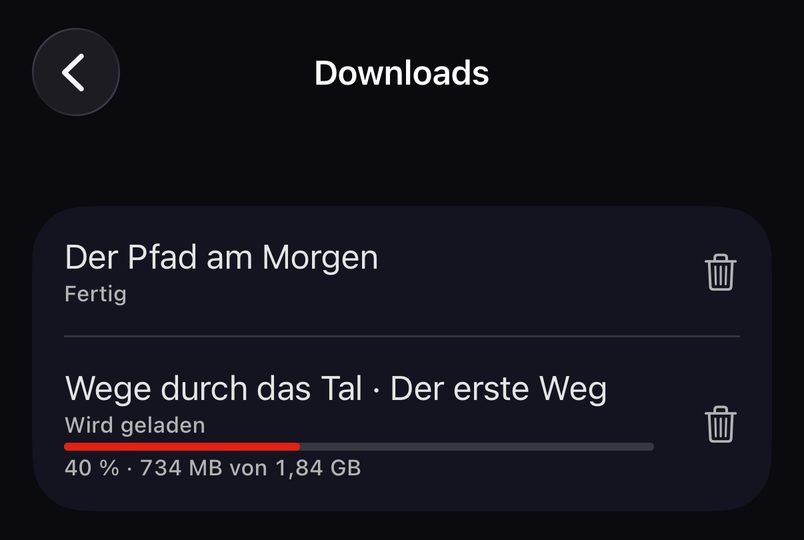
A watchlist entry is not a saved movie. Prepare the actual titles while you still have a reliable connection:
Live TV still requires a connection; this checklist applies to downloaded movies and episodes. If you stream over cellular data or enable cellular downloads, watch your plan’s data allowance. For longer trips with a larger screen, explore TELOS on iPad.
One list is free; additional lists require Premium. Playback requires a purchase after the trial period. For more screen space, the same universal app is available on iPad; for your TV, see the dedicated Apple TV version.

The iOS version described here requires iOS 16.4 or later. Check the current App Store requirements for your device before installing.
You can download eligible movies and episodes from an Xtream source in advance and play them offline. The provider proxy must be off, and availability depends on your provider.
No. The recommendations described here are created locally on your device. You can pause “Learn my taste” and reset saved interests.
Up to five profiles per Xtream account. Favorites, history, Continue Watching, watchlist, downloads, audio and subtitle choices stay personal to each profile.
Yes. You can connect an M3U link or an Xtream account. For M3U, TELOS supports a programme guide with an XMLTV source. M3U catch-up is not supported; the download method described here requires Xtream.
No. The watchlist only saves the title for later. To watch offline, actually download an eligible movie or episode and check the completed download. M3U sources do not support this route.
TELOS downloads over Wi-Fi only by default. If you enable “Download over cellular”, downloads can use your data allowance. Live streams over a cellular connection use data too.
One list is free; additional lists require Premium. Playback requires a purchase after the trial. This is separate from your content account; channels, movies and provider subscriptions are not included. Check current offers in the app.
Discover TELOS for iPhone in the App Store. Connect your own source and create a personal starting point with a profile, favorites and a watchlist.
TELOS is a player for your own legal content source. No channels, movies or content subscriptions are included.