01
Install TELOS
Use the official App Store link. Check the listing for current device and system requirements.
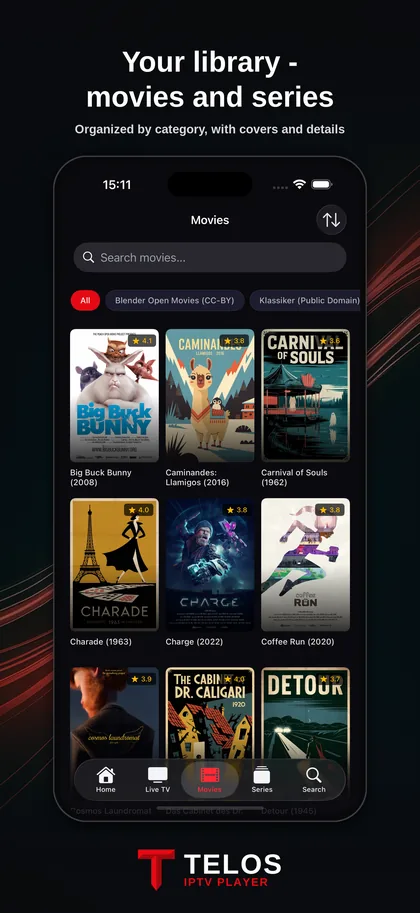
Your playlist goes where you go. Set up TELOS on iPhone or iPad and keep live TV, films and series from your own provider in one place.


Use the official App Store link. Check the listing for current device and system requirements.
Enter the playlist URL or the server, username and password supplied by your provider. Keep these credentials private.
Open a known working channel before importing more sources. If your provider supplies programme data, check the EPG as well.
A M3U URL points to a playlist; Xtream Codes uses your provider’s server and login. Choose the format your provider actually supplies. A playlist is access to your source, not a subscription sold by TELOS.
Mobile video can use significant data. Begin on Wi-Fi, then check your data allowance before a long session. A stall on mobile data can have a different cause from a stall on your home network.
An iPad gives you a larger screen today. For Apple’s new foldable iPhone, use the separate Duo compatibility guide: general iPhone availability does not prove a tested foldable layout.
No. Add your own playlist or provider login. You are responsible for choosing a legal source.
Your provider must supply suitable programme data. Check the source and EPG details before changing the player.
See the Duo guide for the device announcement and what is still pending for TELOS compatibility.
M3U or Xtream Codes: TELOS brings your own content into one player. The channels, films and programme data you see depend on your provider.
TELOS is a player. Bring your own legal playlist. No channels, films or subscriptions to content are included.